← All activities
Week 8 · Activity
Activity: Set Up Your GitHub Account and Full Name
Make a GitHub account, set your profile name to your full name, and tell Git who you are. Estimated time: 5–10 minutes.
Need more detail? See the GitHub help section for the same git config commands, and the Using GitHub and AI chapter for the bigger picture.
📋 What to do
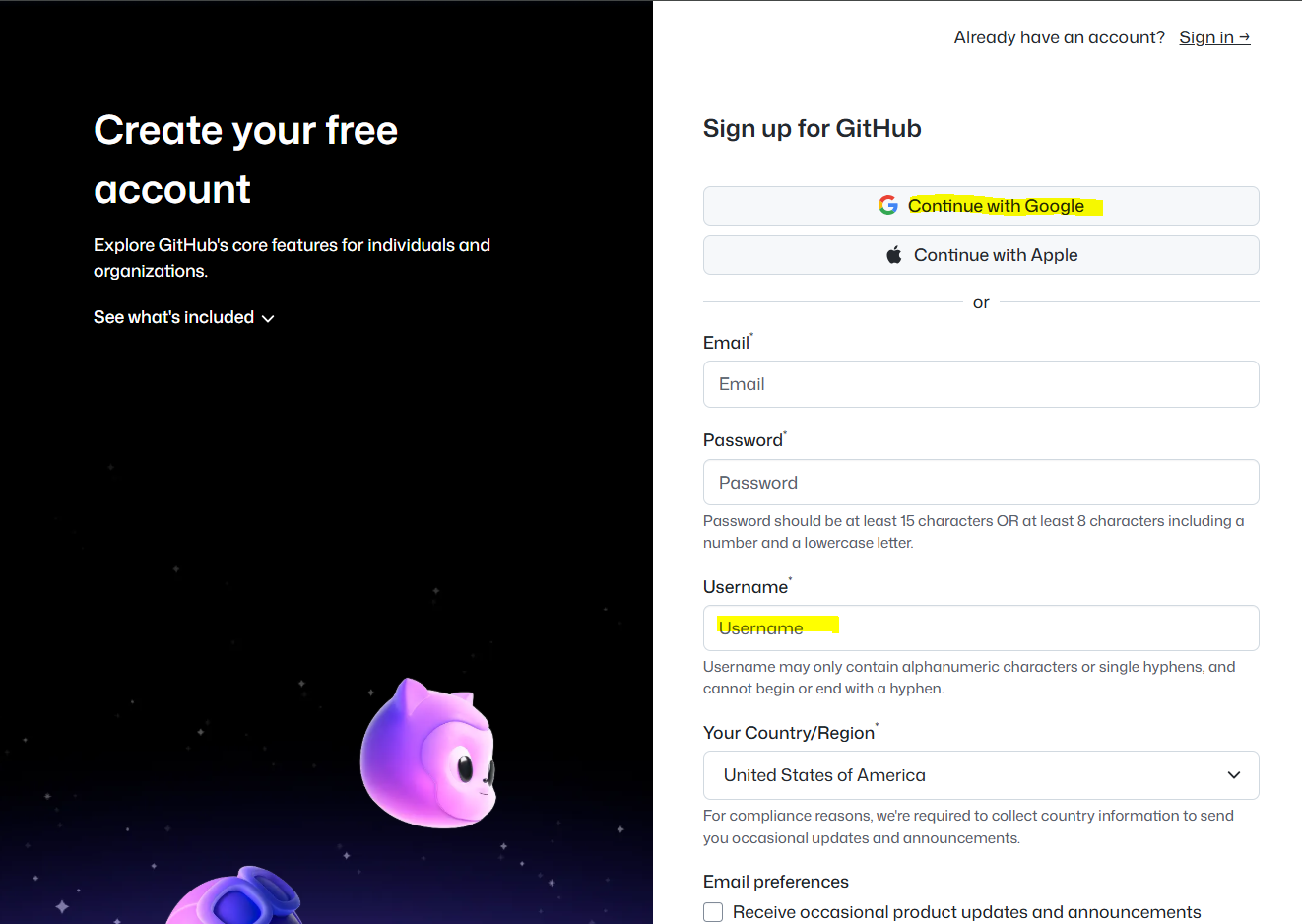
- Sign up for GitHub. Go to the GitHub signup page. Check that you landed on
github.com, NOT a GitHub Enterprise site such asgithub.coecis.cornell.edu. This is important! - Click Sign up and create your account. Choose a professional username — ideally your real name or something recognizable. (Example: my GitHub ID is
github.com/timothyfraser.) - Open your profile page at
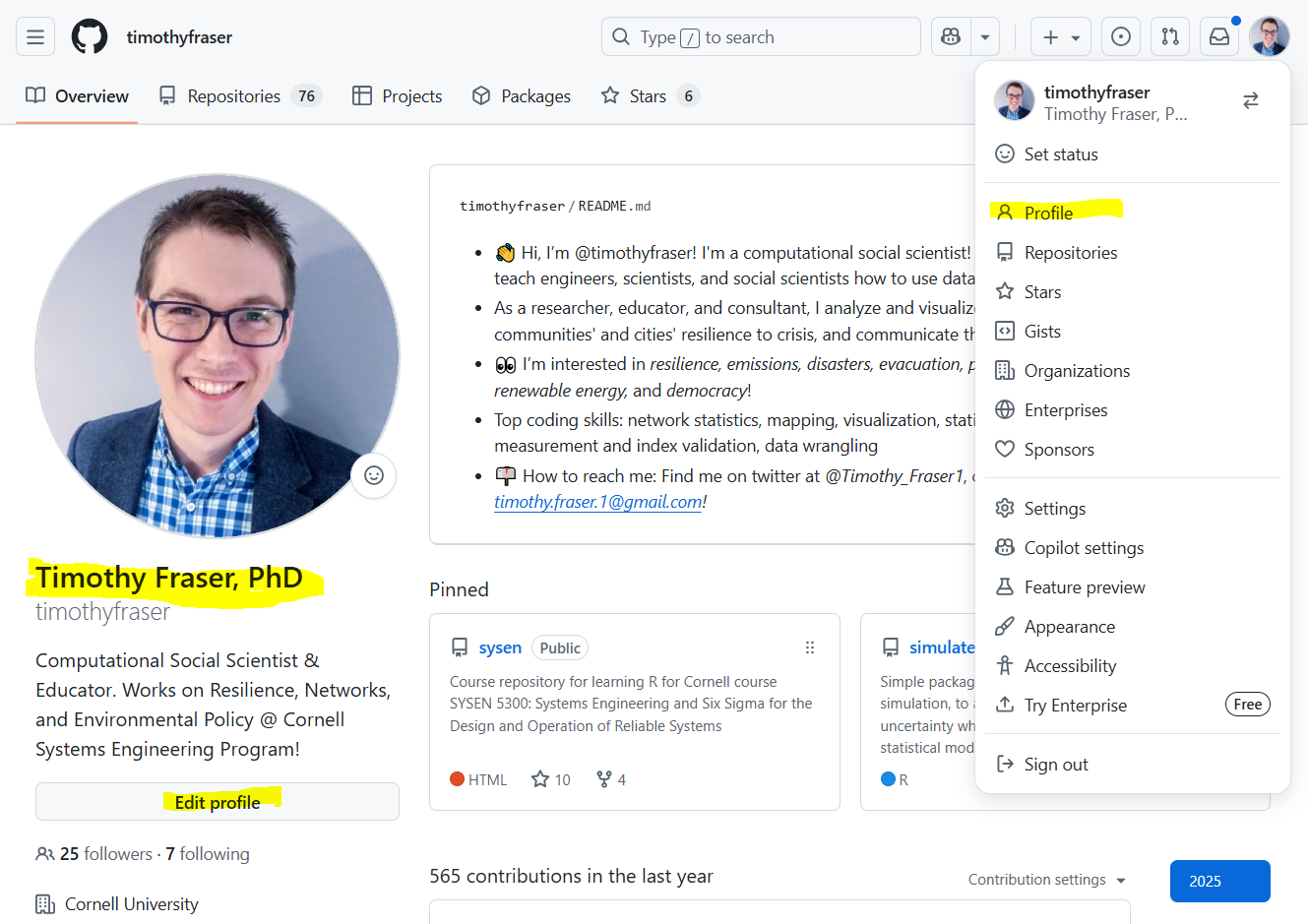
github.com/<your_github_id>. Click Edit profile and set your Name to your professional full name (for example, mine is Timothy Fraser, PhD), so your classmates, employer and instructors can find you. - Set a profile picture that is recognizable — a professional headshot, a cute animal, something. Do not keep the default GitHub picture: millions of users have it, and a distinctive photo helps a lot.
- Tell Git your name and email on your own computer. Open Git Bash (from the earlier setup activity) and run these two commands, using your own full name and the email address you used on GitHub:
git config --global user.name "Your Full Name"
git config --global user.email "you@cornell.edu"
Git stamps this name and email on every commit you make, so it should match your GitHub profile. - Check that it saved. This should print your full name:
git config --get user.name
- Take a screenshot of your GitHub profile page (your name should be visible) and a screenshot of your Git Bash window showing the
git config --get user.nameoutput.
👤 What your profile should look like
Click your profile icon (upper right) and choose Profile, then Edit profile. Your full name is the large line under your picture; your username is the smaller gray line beneath it.
📮 Submit
Submit on Canvas (1 pt) — graded on completion; your deadline is on the Canvas assignment. Submit a screenshot of your GitHub profile and a screenshot of your git config --get user.name output.
Note: this page reproduces the activity instructions so you can find them again after class, and it is the version kept current — surveys, slide decks and helper links are updated right here. Submit on Canvas; the due date and your grade live there.